




























Under EU Directive 2023/2673 (new Article 11a of Directive 2011/83/EU on consumer rights), a customer who has entered into a contract via an online interface must have access to a contract withdrawal option—a clearly visible “Withdraw from Contract” button .
In our store, we’ve gone the extra mile for our customers and offer not only a button to withdraw from the contract but also a step-by-step guide for handling complaints, returning merchandise, addressing incorrect deliveries or damage during shipping, and exchanging merchandise. We also provide answers to frequently asked questions. This comprehensive approach allows customers to handle everything related to their order from a single location.
The process is very simple and intuitive.
1. The customer must be logged into their account.
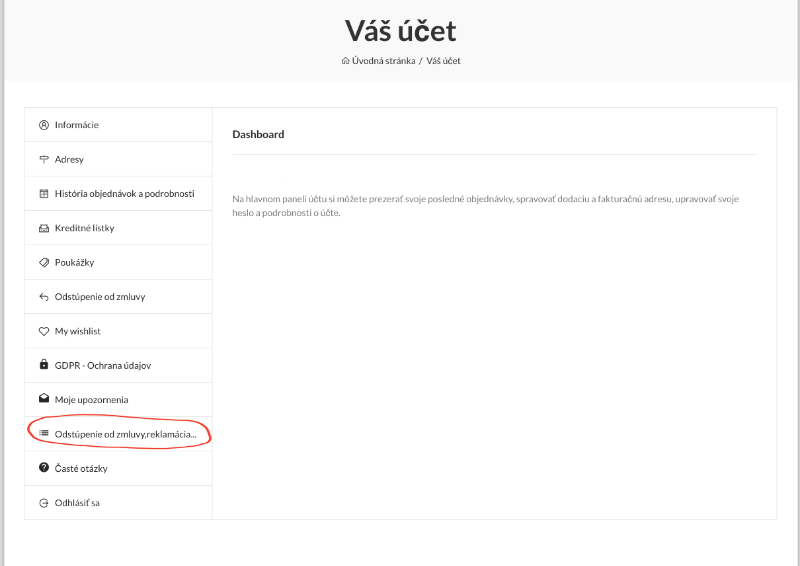
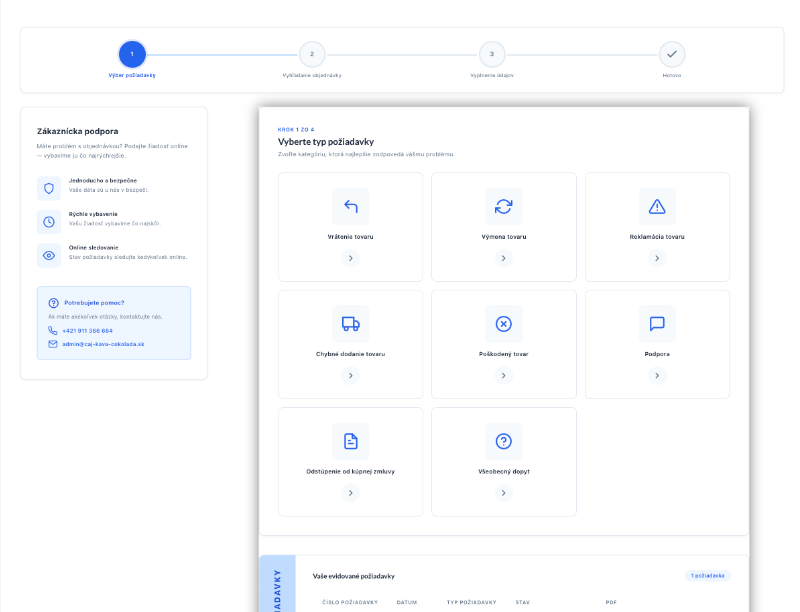 If a customer is logged in, they will find a list of all available requests in their account after clicking the “WITHDRAWAL FROM CONTRACT, COMPLAINT” button.
The entire process of creating a request consists of 3 steps:
- Selecting the type of request the customer is interested in and the issue they want to resolve.
- Searching for the order to which the request is linked. Customers cannot create requests in Frontoffice without linking them to an order.
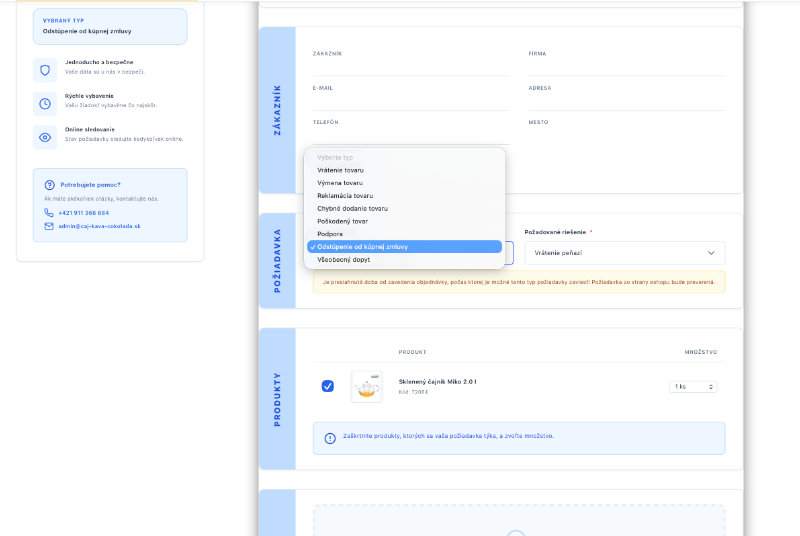
- Filling out the required information for the request and submitting it.
After entering the required information, details about the created request will be displayed.
 2. Searching for the order associated with the customer’s request
After selecting an order, the customer reviews the order details to verify that it is indeed the correct order and that it contains the products they wish to address.
After verifying that the selected order is correct, the customer simply clicks “Create Request” and will be redirected to the final step, where they will fill in the required information.
3. In the final step, simply check the boxes next to the products your request concerns and write a message describing the solution you need.
SOLUTION FOR UNREGISTERED CUSTOMERS (VISITORS/GUESTS)
If a customer is not logged in, does not have an account (website guest), or no longer remembers their login credentials, a request can still be submitted. To create a request, you’ll need the email address used when placing the order and the order ID or reference number. Of course, this requires that the order has been successfully completed and paid for.
Using these two pieces of information, the customer can locate the order and submit a request. An unregistered customer (guest) can submit a request by clicking the “WITHDRAWAL FROM THE CONTRACT” link at the bottom of our online store.